 Deutsch
  English
  简体中文
简体中文  한국어
한국어 







Gemäß den von Arbin veröffentlichten Standardvorgaben schränkt die Integration eines Gamry-Geräts in ein Arbin-System die ursprüngliche Frequenzfähigkeit des Geräts typischerweise ein von 2 MHz hinunter zu 100 kHz. In diesem Artikel stellen wir jedoch eine Lösung vor, die es dem System ermöglicht die gesamte 2-MHz-Frequenz beibehalten, mit einigen Kompromissen, die zu berücksichtigen sind.
Voraussetzungen für die Erreichung von 2 MHz EIS mit Gamry
Die Einbeziehung der elektrochemischen Impedanzspektroskopie (EIS) in Batterietest-Workflows bei hohen Frequenzen bietet zwei große Herausforderungen das muss angegangen werden, um die volle Funktionsfähigkeit von Gamry zu erhalten 2-MHz-Fähigkeit:
1. Direkte Verbindung zur Batterie erforderlich
Bei hohen Frequenzen werden elektrische Signale extrem empfindlich gegenüber parasitäre Induktivität und Kontaktwiderstand. Um die Messgenauigkeit zu gewährleisten, muss das Gamry-Gerät muss direkt an die Batterieanschlüsse angeschlossen werden verwenden Gamry-Kabel. Vermeiden Sie Testvorrichtungen, Zwischenverbinder oder Erweiterungen von Drittanbietern, die die Signalqualität beeinträchtigen könnten.
-
Kurze, spezialisierte Kabel (<60 cm)
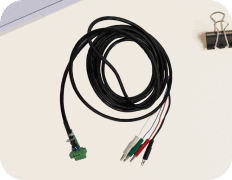
Die Kabellänge ist bei Betrieb mit 2 MHz kritisch. Selbst ein paar Zentimeter mehr können zu Signalverzerrung oder unerwünschte Geräusche. Nur Gamrys geschirmte Kabel, mit einer Länge von weniger als 60 cm, sollte verwendet werden, um die Signalintegrität zu erhalten.
Verbindung und Konfiguration
Schaltplanbeispiel
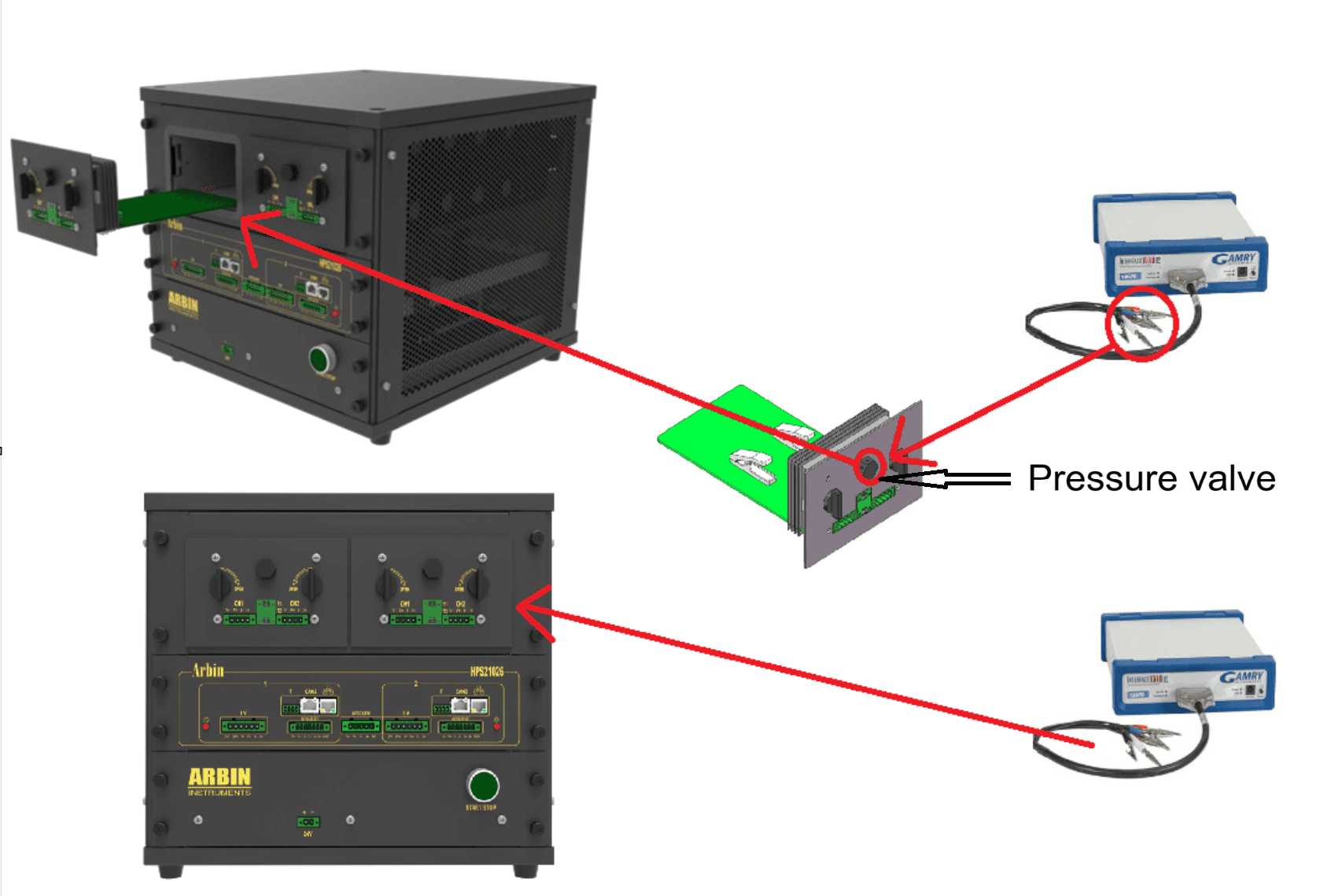
Zur Unterstützung bei der richtigen Einrichtung beachten Sie das Beispiel Schaltplan unten
Integrationsbeispiel
In diesem Beispiel integrieren wir die folgenden Komponenten:
-
A Hochpräzisions-Batterietestsystem (HPS All-In-One) mit zwei integrierte Mini-Temperierkammern
-
Zwei Gamry-Geräte (eine für jede Temperaturkammer bestimmt)
Standardmäßig verbindet die Standardkonfiguration von Arbin das Gamry-Gerät über das System mit dem ACIM-Port, was die nutzbare Frequenz des Gamry einschränkt 100 kHz. Um zu behalten volle 2-MHz-Fähigkeit, werden wir stattdessen das Gamry-Gerät anschließen direkt an die Batterieanschlüsse.
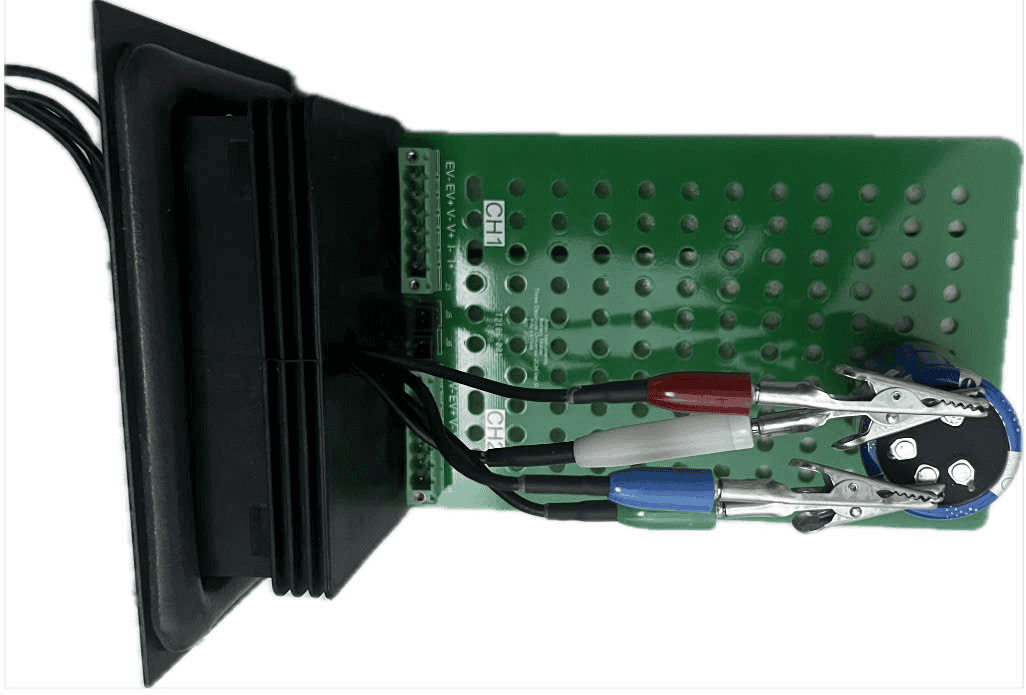
Jedoch, da der Benutzer auch benötigt temperature control during testing, the Gamry cables must pass through the hole in the pressure valve (highlighted in red in the image). After routing the cables through this opening, the cable heads can then be connected directly to the battery.
Arbin & Gamry software configuration
Step 1: Gamry software
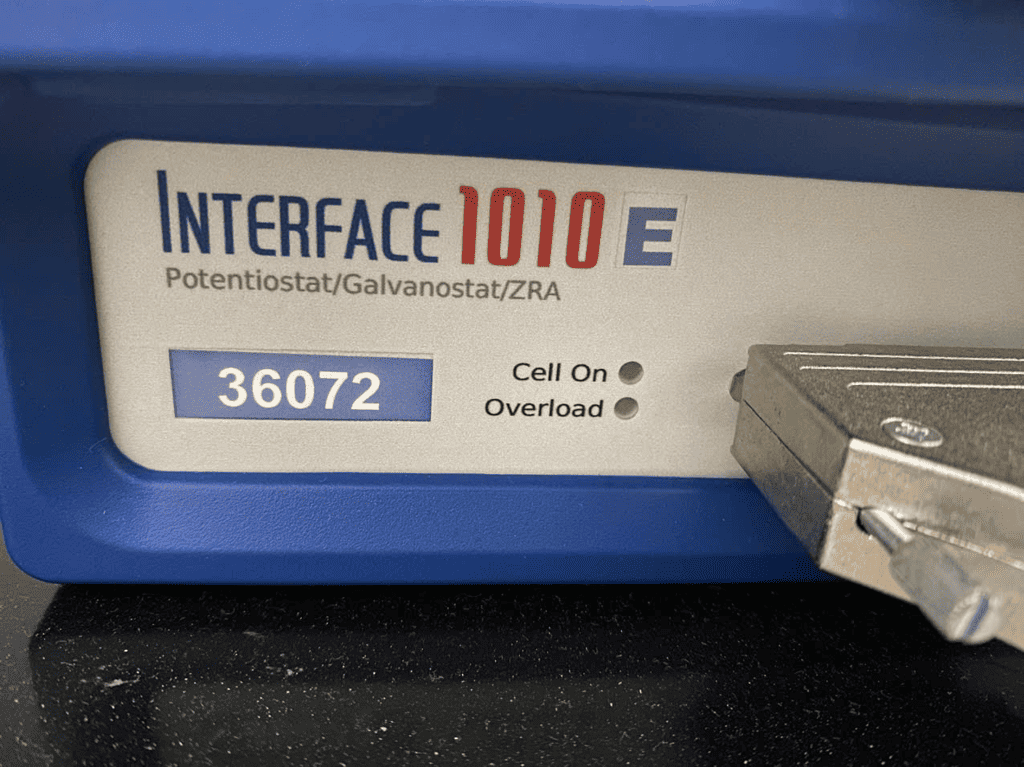
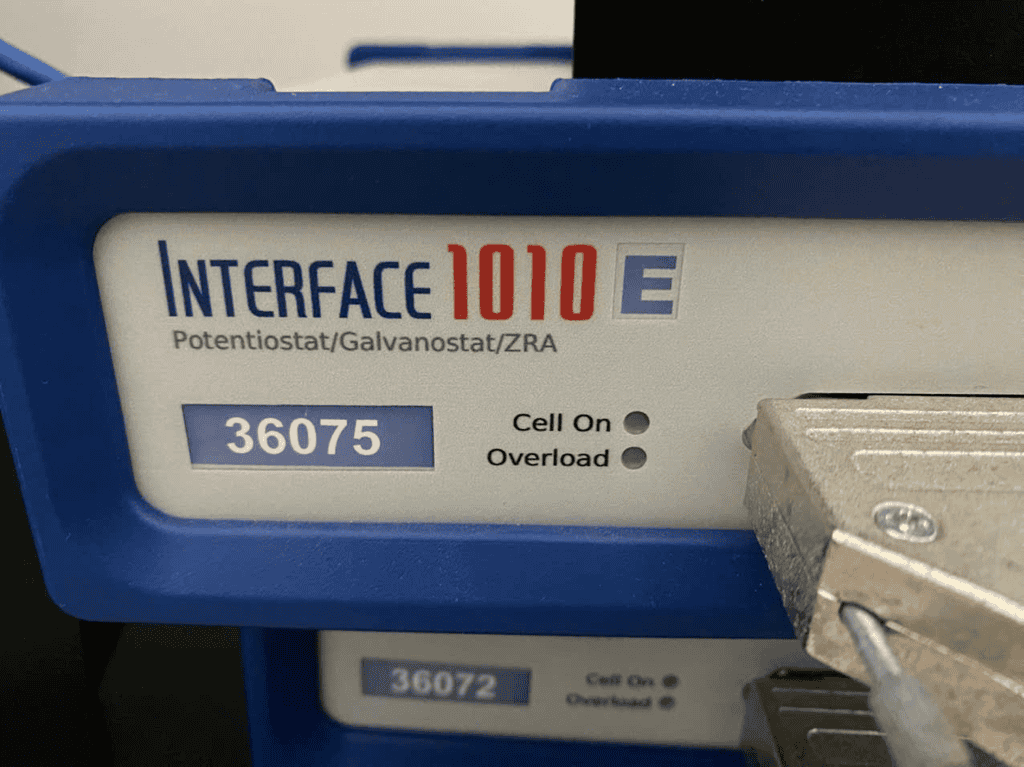
Locate the Gamry device’s serial number directly on the device.
For this setup, the relevant serial numbers are 36072 und 36075.
Step 2: Device Setup in Gamry
Assign the two Gamry devices as follows:
-
Gamry 1 → IFC1010-36072
-
Gamry 2 → IFC1010-36075
You can adjust the device order using the green arrow button.
The system assigns device IDs sequentially from top to bottom, starting with 1, then 2, 3, … depending on the order.

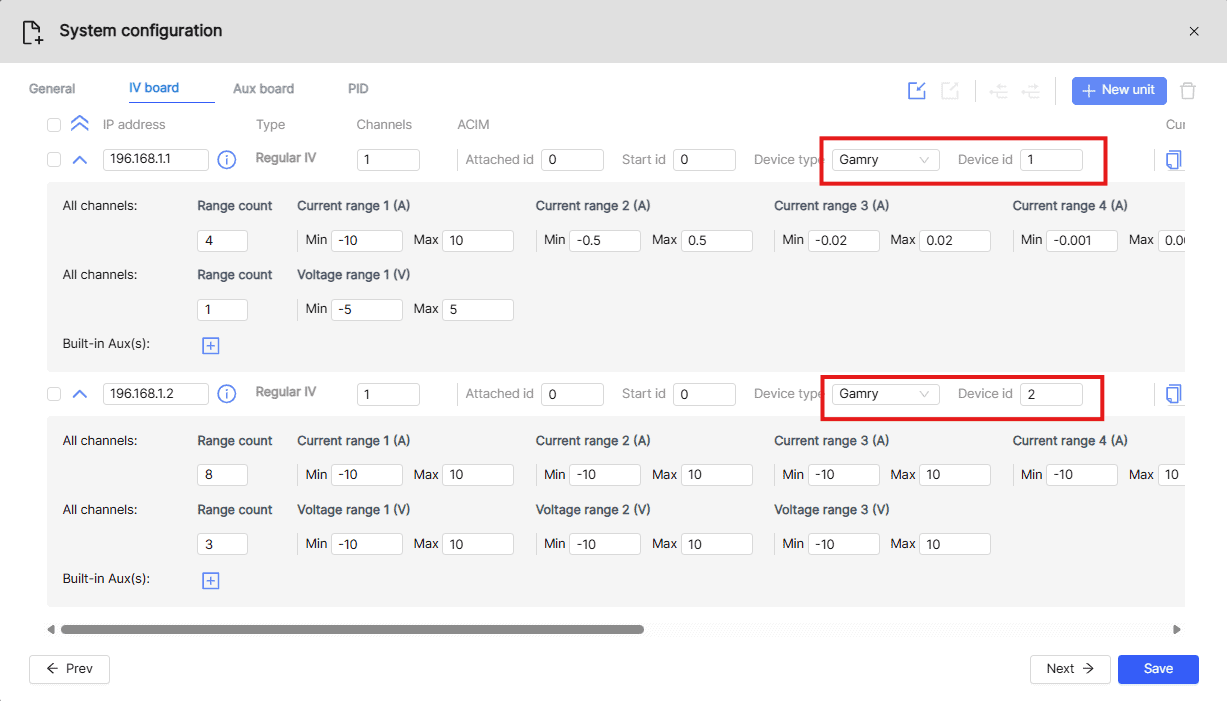
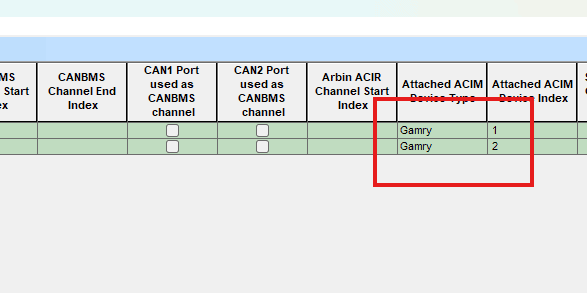
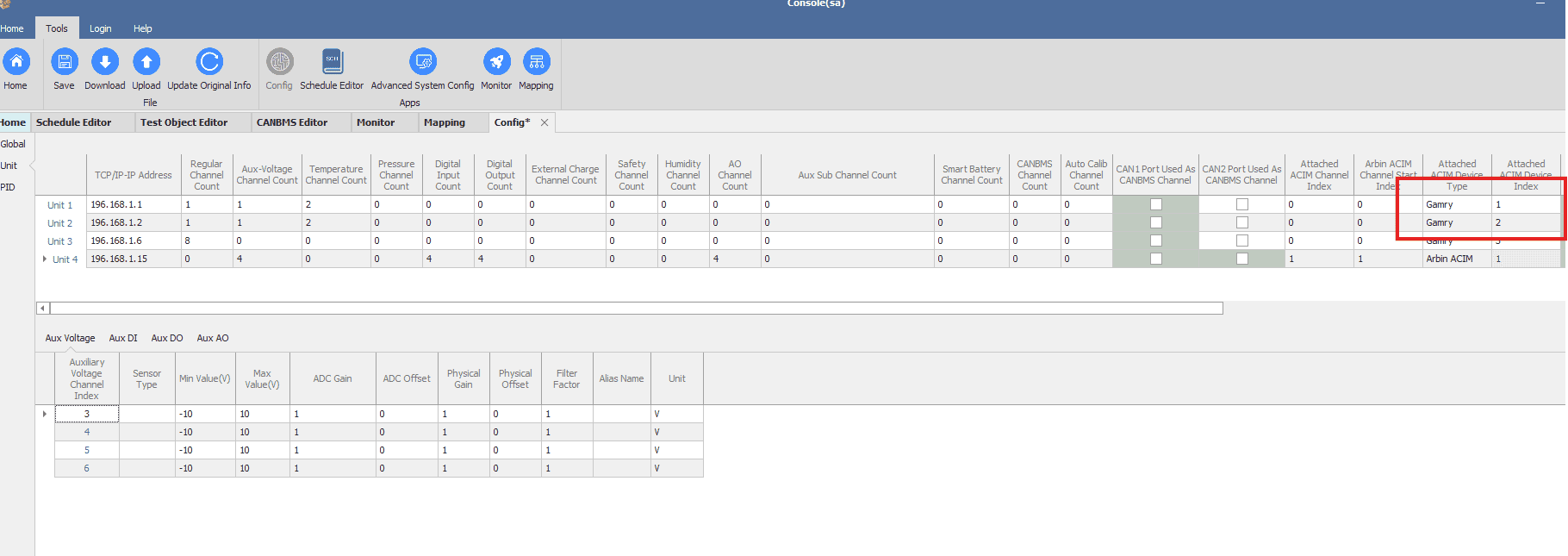
Step 3: Mapping Gamry Devices to Arbin Software
Once the Gamry devices have been set up, they need to be mapped within the Arbin software:
-
Gamry 1 (IFC1010-36072) → Map to the first channel in Arbin.
-
Gamry 2 (IFC1010-36075) → Map to the second channel in Arbin.
This mapping ensures proper synchronization between the Gamry instruments and Arbin’s control system, allowing the devices to operate correctly during experiments.
MITS 8 software
MITS 10 software
With the mapping in place, device control is automatically synchronized between the Arbin IV boards and the Gamry instruments:
-
When running a channel on the first IV board (192.168.1.6), the EIS step (pause step) will trigger Gamry 1 (serial 36072) to perform the EIS test on the battery.
-
When running a channel on the second IV board, the EIS step will instead trigger Gamry 2 (serial 36075) to perform the test.
This configuration ensures that each IV board communicates with its assigned Gamry device consistently during EIS testing.
Result:
2MHz → 0.1Hz
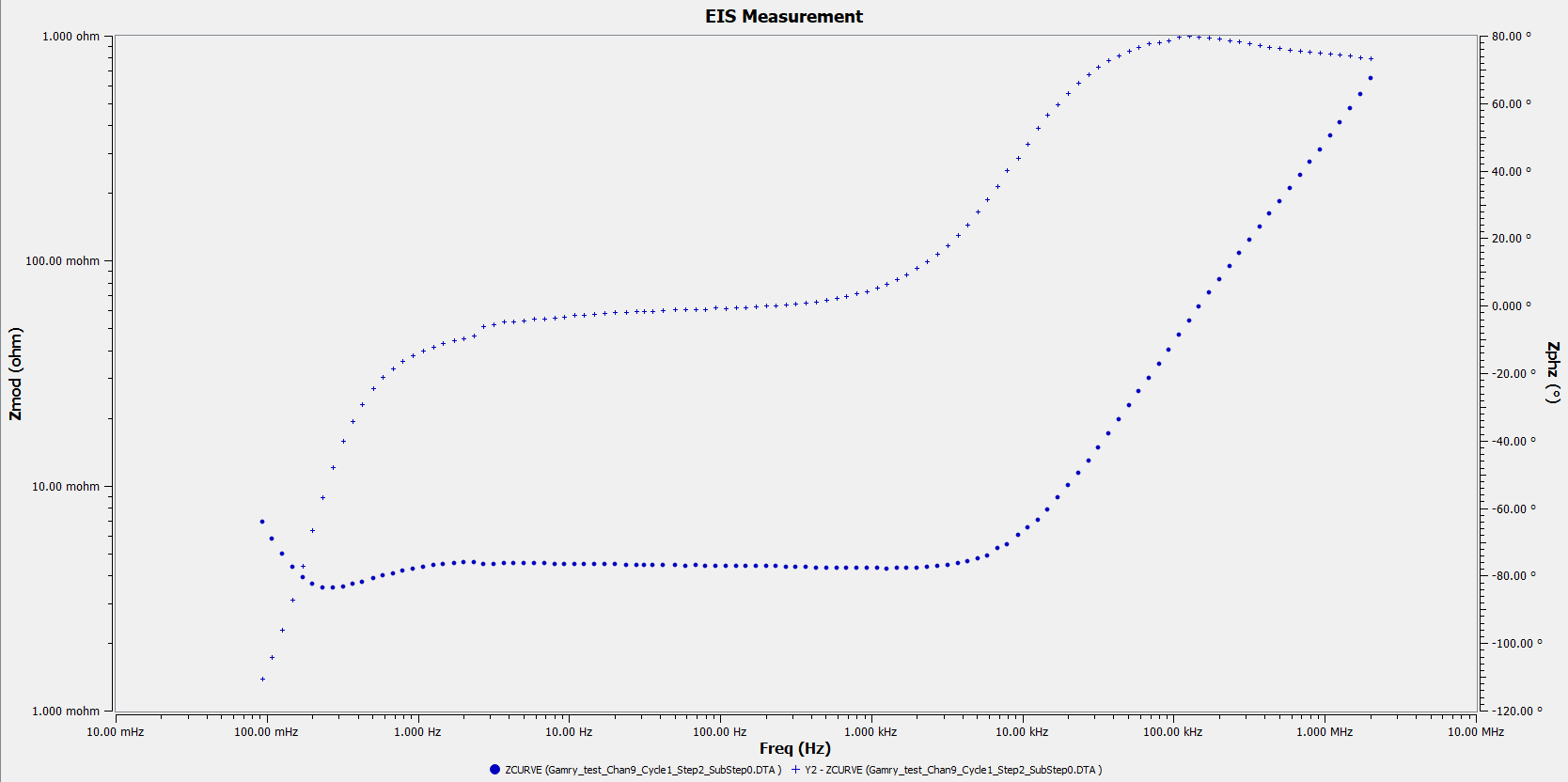
Nyquist:

1Hz → 2MHz
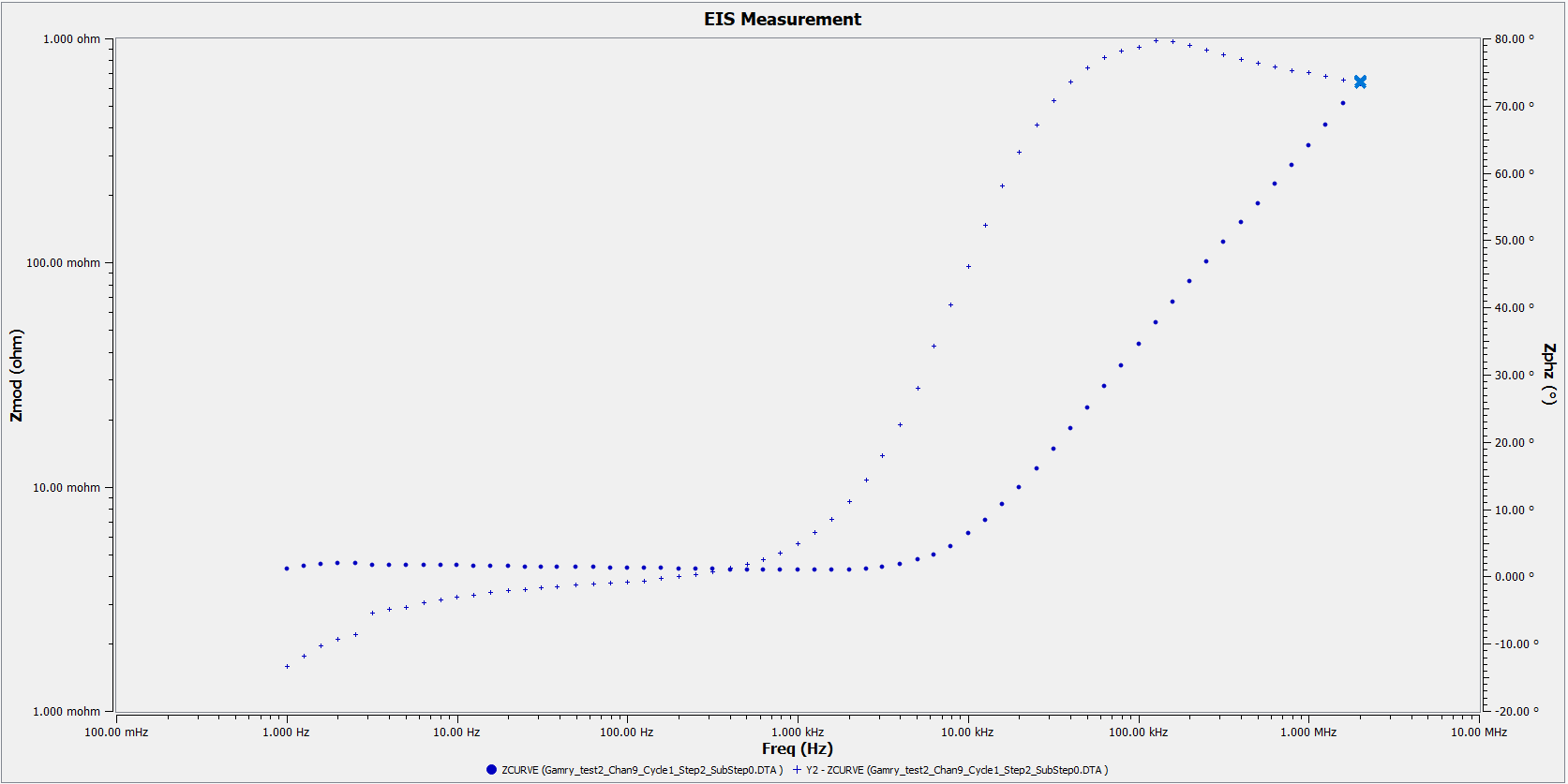
Nyquist:

Trade off:
Trade-Off Considerations
-
Standard Configuration
In the default setup, Gamry’s cables are connected to the Arbin machine’s ACIM-Port, which is shared by all channels on the same board.-
This means two channels can share a single Gamry device.
-
The devices are able to work synchronously, ensuring that one channel can wait for the other as needed.
-
-
High-Frequency Configuration (2 MHz)
To achieve 2 MHz operation, Gamry’s cables are not connected to the Arbin ACIM port, but directly to the battery.-
In this mode, schedules can only be executed on the specific channel being run.
-
Shared synchronous operation between channels is not possible under this setup
-
